


Table of Contents
UB Snackin'
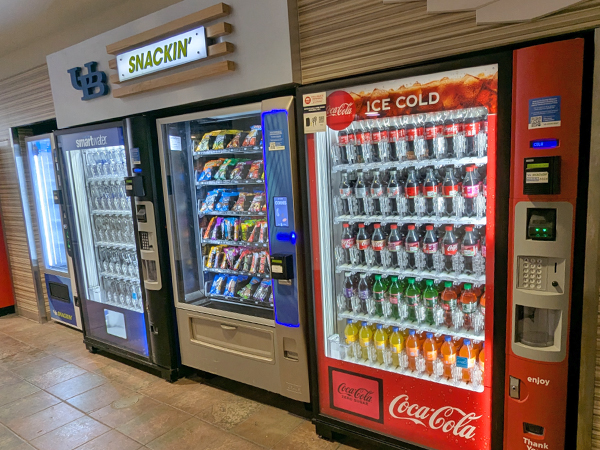
Our UB Snackin' vending machines are available 24 hours a day. For the Fall 2026 semester, machines are accepting UB Card swipes and credit/debit transactions through card or phone. Readers are programmed to use Dining Points first, then they roll over to Campus Cash after Dining Points are exhausted. Your UB Card works just like a debit card—the amount of your purchase is deducted from your account each time you make a purchase, and the card reader displays your remaining balance. No more scrambling for quarters when you want a snack; just swipe your card through the reader and make your selection.
Variety
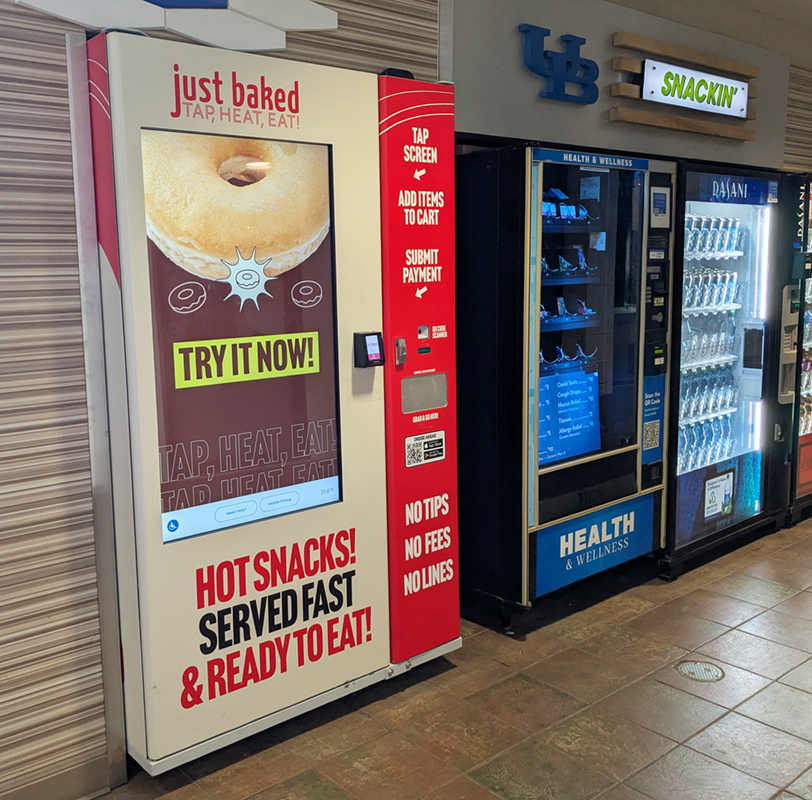
- Expect an extensive assortment of your favorite brands in the snack & beverage machines, with countless selections stocked for those seeking healthier items.
- To round out the menu, subs, sandwiches and entrées are stocked daily in our Fresh Food machines.
- Just Baked machines supply on-the-go hot meals and snacks for any occasion.
- Our Health & Wellness machines provide medical supplies for numerous symptoms and situations. For more information on the items pertaining to sexual health, visit Student Life's website.
Contact Us
If a machine malfunction occurs and/or you require a refund, please report to our service technicians by calling (716) 645-7355 by leaving a message. You can also contact Campus Dining and Shops Vending Services on their contact form.
Vending Locations
North Campus
Academic Buildings
- Broadview Arena Basement & 1st Floor
(includes Fresh Food) - Baldy Hall Lounge Area
- Beane Center
- Capen Hall 1st Floor
- Center for the Arts Basement
- Clemens 1st & 2nd Floors
- Cooke Hall
- Davis Hall 1st Floor
- Fronczak Hall 2nd Floor
- Furnas Hall 2nd Floor
- Knox Lecture Hall 1st & 2nd Floor
(includes Fresh Food) - Lockwood Library 2nd Floor
- Natural Sciences Complex 2nd Floor
- O'Brian Hall 2nd Floor
- Park Hall 1st Floor
- Student Union 1st & 2nd Floors
(includes Health & Wellness)
Residence Halls - Ellicott
- Ellicott Food Court
(includes Just Baked, Fresh Food, Health & Wellness) - Evans Quad 1st Floor & Laundry Area
- Fargo Landing
(includes Fresh Food) - Richmond Quad 1st Floor & 2nd Floor Fitness Center
- Wilkeson Quad 1st Floor Laundry Area
Residence Halls - Governors
- Clinton Hall 1st Floor Lounge
- Lehman Hall 1st Floor
- Dewey Hall 1st Floor Lounge
- Roosevelt Hall 1st Floor Lounge
Residence Halls - Greiner
- Greiner Hall 1st floor
On-Campus Apartments
- Flint Village
- Hadley Village
- South Lake Village
- Creekside Village
South Campus
Academic Buildings
- Biomedical Education Lobby
- Clark Hall 1st Floor
- Crosby Hall 1st Floor
(includes Fresh Food) - Diefendorf Lower Level
- Farber Hall Basement
- Harriman Hall 1st Floor
- Hayes Hall 2nd Floor
(includes Fresh Food) - Pharmacy Building
(includes Fresh Food) - Kimball Hall Basement Lounge
- Parker Hall Basement
- Squire Hall Basement
- Wende Hall 1st Floor
Residence Halls
- Clement 1st Floor Lobby
(includes Just Baked, Health & Wellness) - Goodyear 1st Floor Lobby
(includes Fresh Food)
Downtown Campus
Academic Buildings
- JSMBS 1st, 2nd & 4th Floors
(includes Health & Wellness)
Using your UB Card
Step 1:
Ensure the reader says "Ready - Tap, insert, or swipe payment to begin."

Step 2:
Type your item selection on the machine's keypad.

Step 3:
Turn your UB Card's magstripe so that it's on the left.

Step 4:
Swipe your UB Card in the card swipe portion on the right side of the reader.
Note: The reader may try to scan your UB Card as it gets closer to it, but it will not successfully take funds out this way. If it says "Payment Error" or "Declined" due to this, patiently wait for it to cancel and try swiping again.

Step 5:
Once a swipe is successful, the reader will say "Please Wait - Processing… Do not remove card."

Step 6:
The reader will say "Approved - Waiting for vending machine" and the machine will grab your selection for your retrieval.

ATM Locations
North Campus
- Student Union (near Tim Hortons)
- Capen Hall
- The Elli
South Campus
- Goodyear Hall
- Harriman Hall